
Table of Contents
Requesting Media with Seerr
Seerr is how you ask for a movie or TV show to be added to TwilightTV. Once approved, it gets pulled in automatically and shows up in Jellyfin — no admin has to manually track it down.
Logging In
Go to seerr.twilighttv.myddns.me and click Sign in with Jellyfin. Use the same username and password you use for Jellyfin.
 Screenshot: the Seerr login screen showing the Jellyfin sign-in option
No separate account needed — see Account & Access Help if you're having trouble logging in.
Browsing & Discovering
The Seerr home screen shows trending and popular movies/shows, similar to what you'd see on a streaming service's homepage. You can also use the search bar at the top to look up something specific by name.
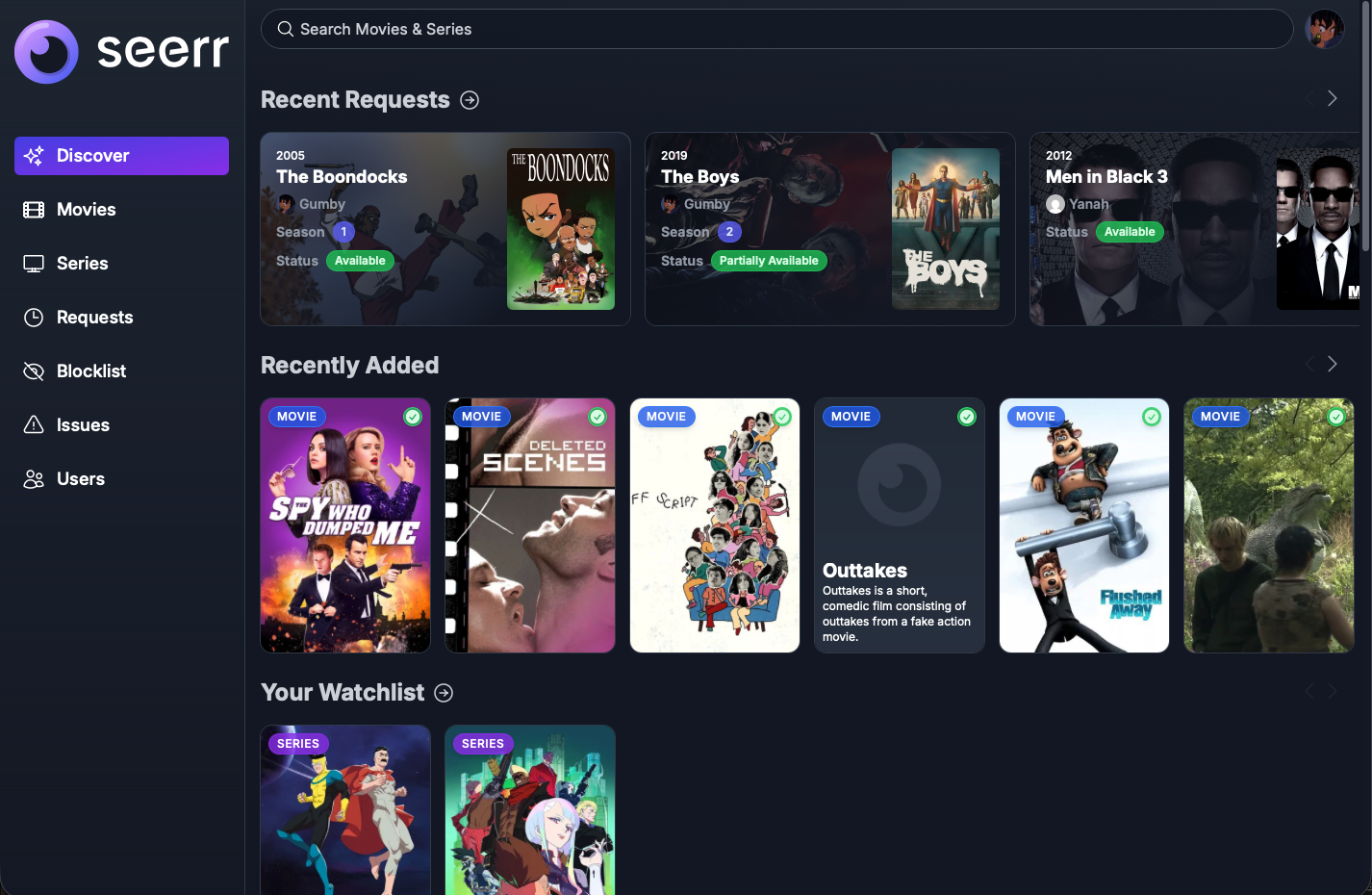 Screenshot: the Seerr home screen with trending/popular rows and the search bar
Requesting a Movie
- Search for or click on the movie
- On its detail page, click Request
- That's it — the request goes to an admin's queue (or auto-approves, depending on server settings) and starts downloading
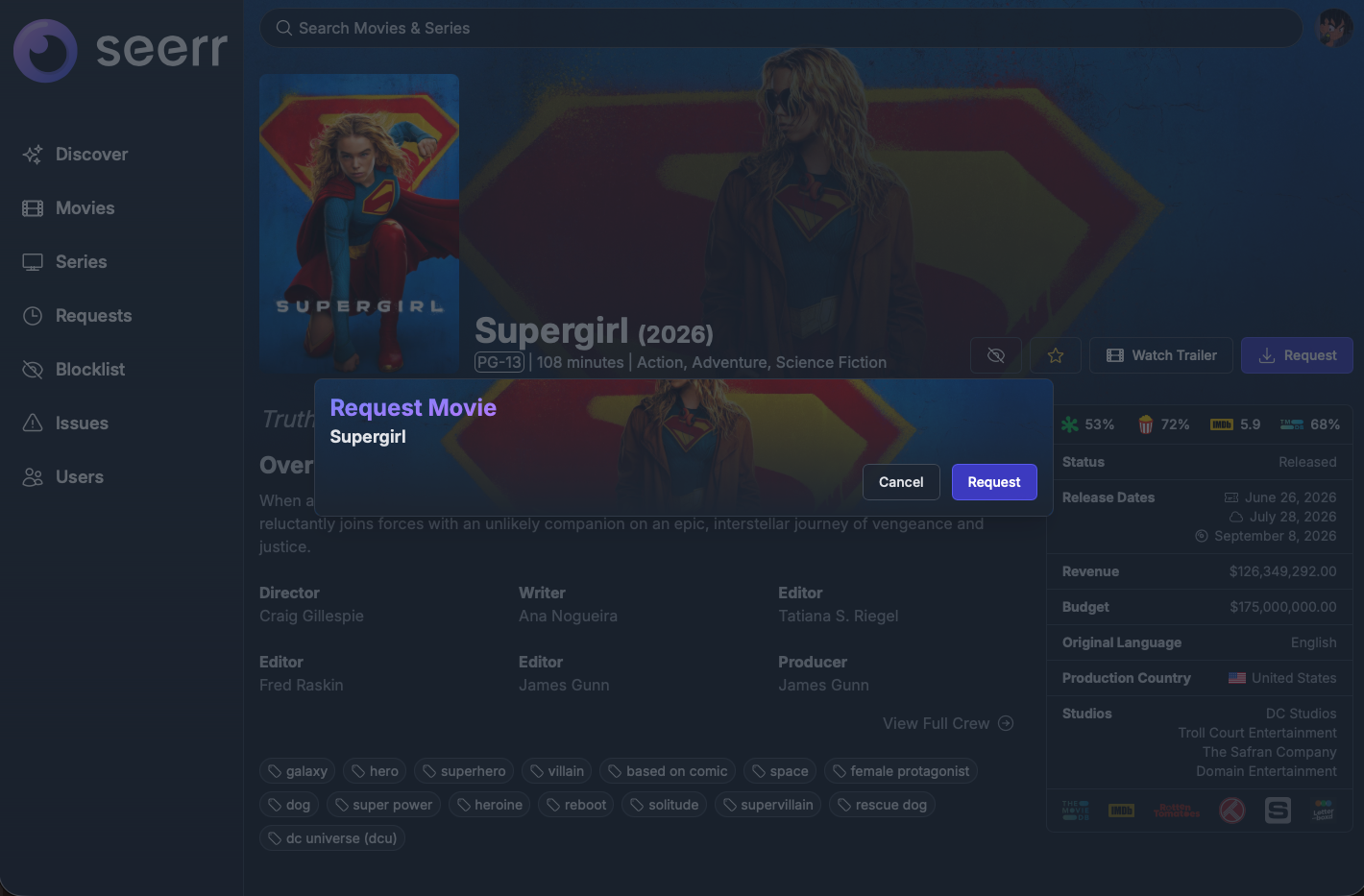 Screenshot: a movie's detail page with the Request button
Requesting a TV Show
TV requests work the same way, but you can choose which seasons you want:
- Search for or click on the show
- Click Request
- Select All Seasons, or pick specific seasons if you only want certain ones
- Confirm the request
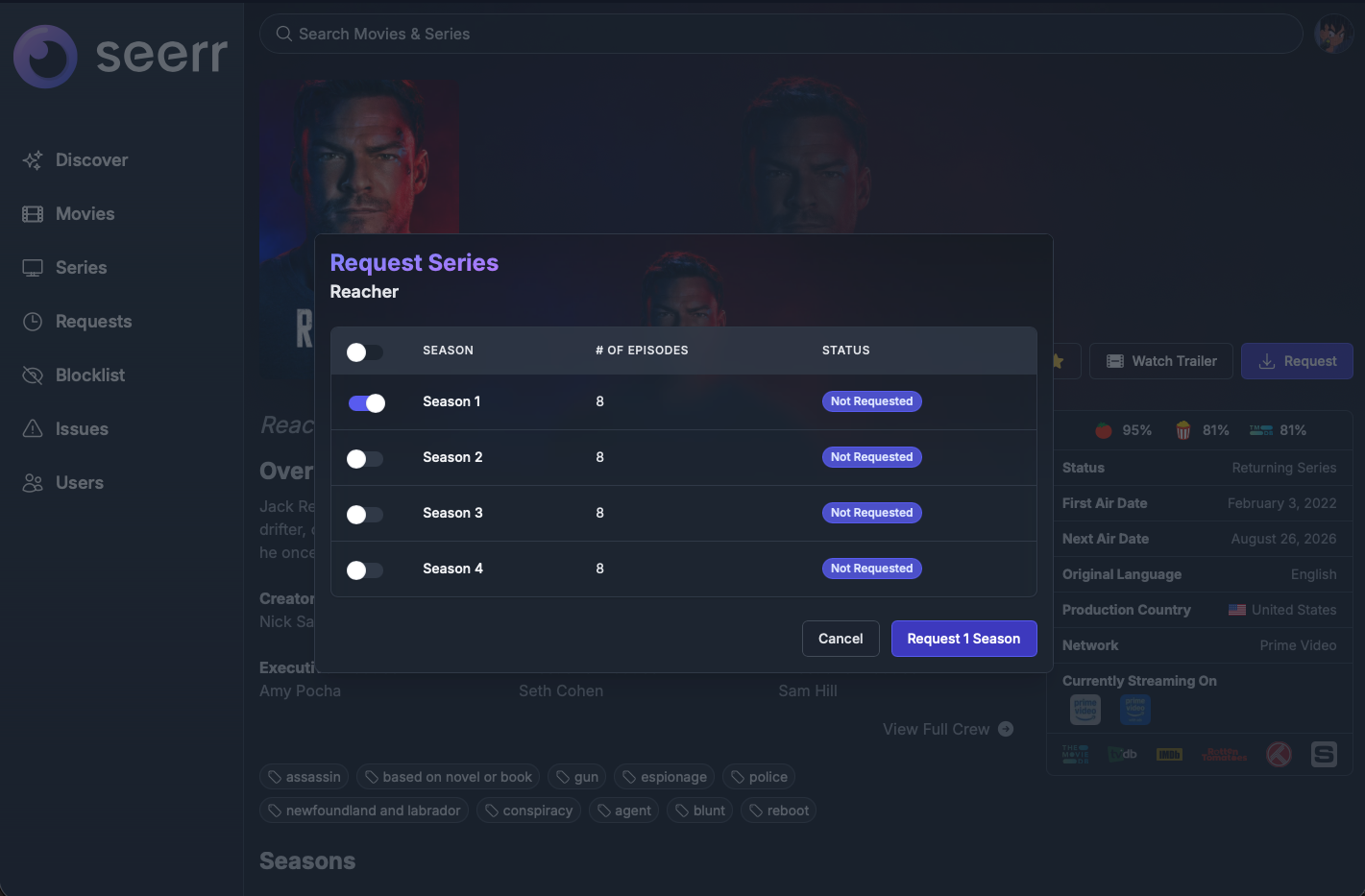 Screenshot: the season-selection screen when requesting a TV show
Checking Request Status
Click your profile icon (top right) → Requests to see everything you've asked for and its status:
| Status | What it means |
|---|---|
| Pending | Waiting on admin approval |
| Approved / Processing | Approved and currently downloading |
| Partially Available / Available | Partially/Fully downloaded — go watch it in Jellyfin! |
| Declined | Not approved (An admin will reply in Discord and tell you why.) |
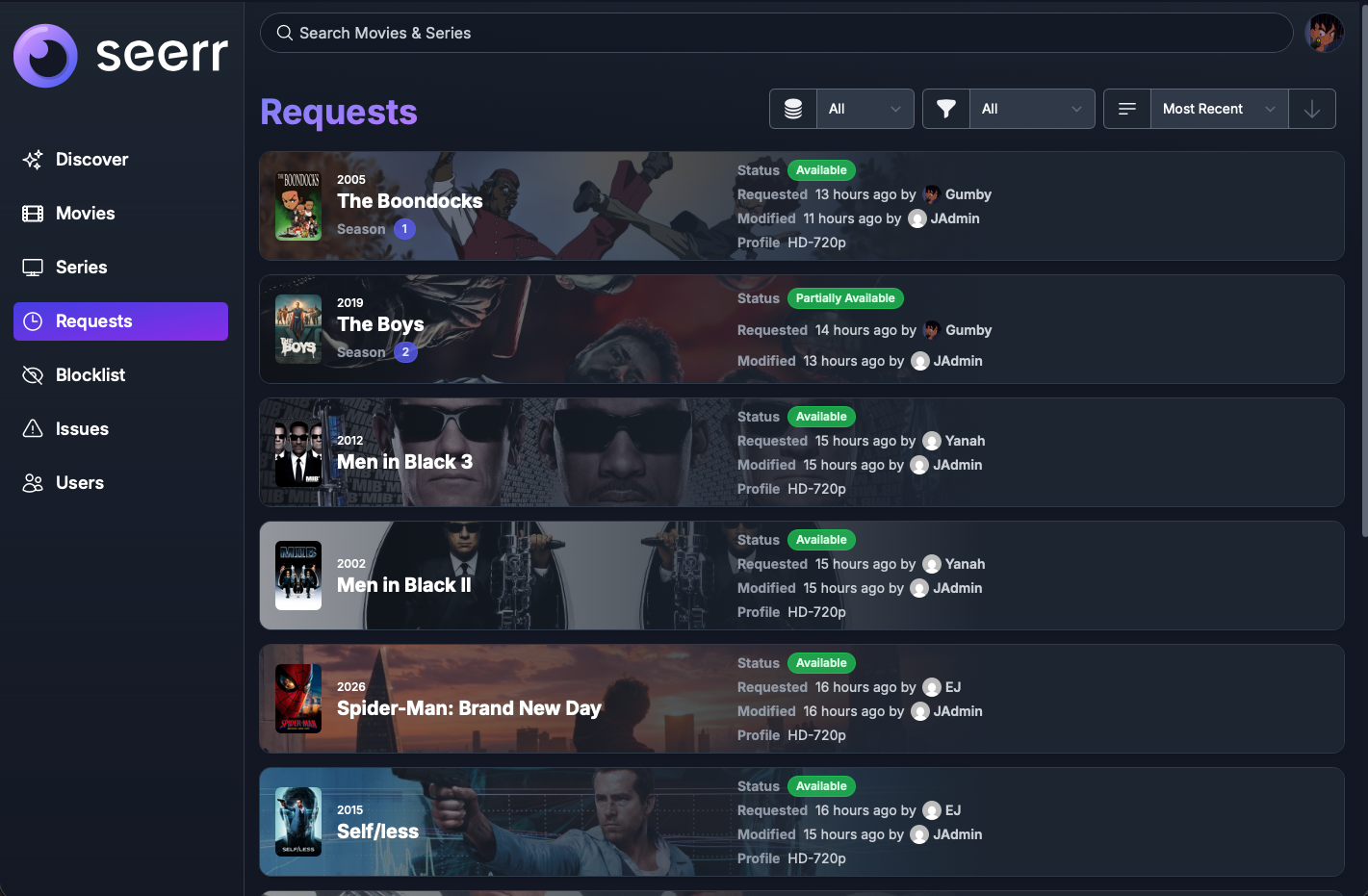 Screenshot: the “My Requests” page showing a few requests in different statuses
Notifications
You get a notification via The Twilight Zone's Discord when your request becomes available. Check your profile's Settings tab to see or adjust your notification preferences.
Tips
- You don't need to request something that's already on the server — check Jellyfin first, or just search in Seerr, which will show it as Available instead of offering a Request button.
- Requesting a show you're only partway through? You can request just the seasons you haven't seen yet.
- If a request sits as Pending for a while, check with an admin, they will investigate and explain what's going on — no need to re-request it, that can create duplicates.
Still stuck? Reach out to an admin on The Twilight Zone's Discord.